

Это старая версия ApolloDesktopPhotos за 2007-06-11 11:04:50..
Apollo Desktop Photos
This is a small photo browser written in Apollo.
Download
Install Apollo Runtime first (5.3 Mb)Download Apollo Desktop Photos 1.0 (540 Kb)
Download Apollo Desktop Photos 0.9 (540 Kb)
Screenshot
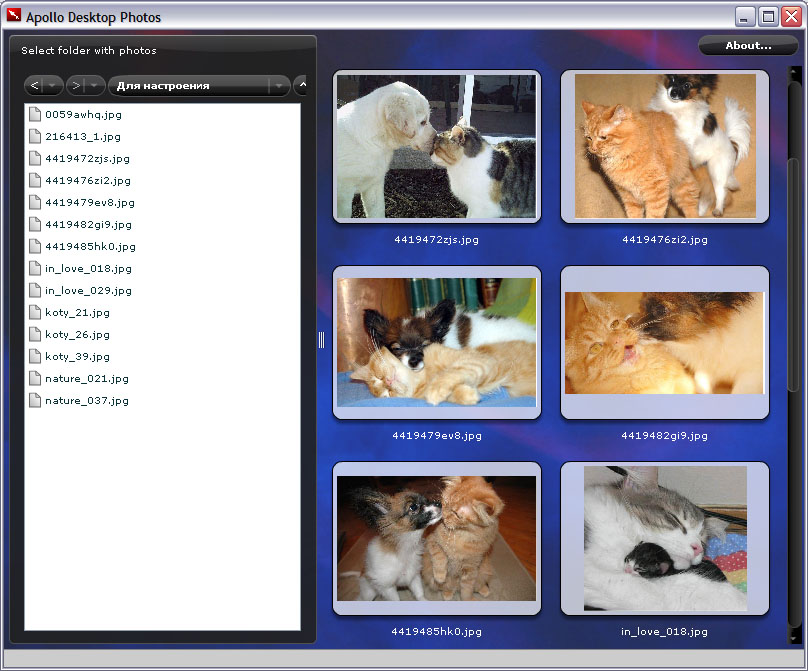
How to use
It is very simple to use it: open folder with your photos (in JPEG format) and you'll see them! It takes some time to generate thumbnails. Click thumbnail and enjoy photo in full screen. Click once more to leave full-screen mode.If you have a floppy, a message like this may appear (during drive viewing): "Insert floppy in drive A:" - press "Cancel".
(Russian blog)
Changes
Version 1.0 to 0.9:- Save latest visited folder
- Full-screen navigation - use "Space" to move next photo
- Highlight images during mouse moving
Plans for the next versions
- Add skins support
- Playing MP3 files in images folder
- Navigation in full-screen mode (by pressing Spacebar)
- Caching thumbnails (may be)
- Autoupdate feature
- Bookmark folders